

News · 05. Februar 2021
Google Business Entry - Always be at the top on Google?
Do you want to always be at the top of Google searches? Then you should create a Google Business listing. With the right configuration, the first place is guaranteed.

Citra R.
Marketing

What is a Google Business entry?
A Google Business entry allows users to find your company more easily by registering and accurately describing it on Google. If everything has been done correctly, your company should always be among the top positions for the specified search terms.
For our customer, who rents office equipment internationally, we are always in first place in 12 countries. Feel free to try it out yourself! Simply enter "rent monitors Bali" or "rent monitors Bangkok" in the Google search. Thanks to the Google Business entry, the customer was able to increase new customer acquisition from Google search by an impressive 40%! 📈
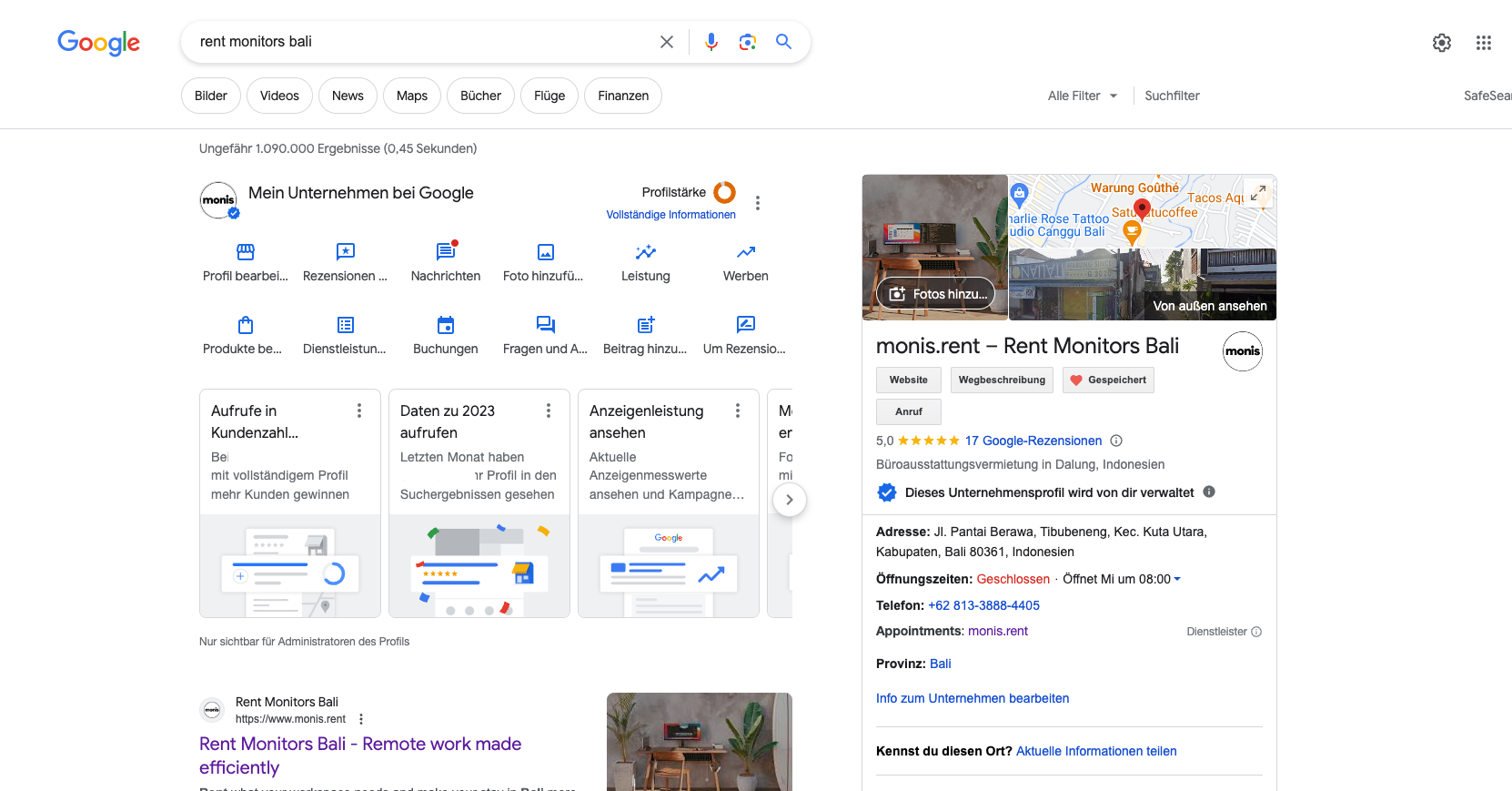
Instructions: How to create a Google Business Account
1. Select names
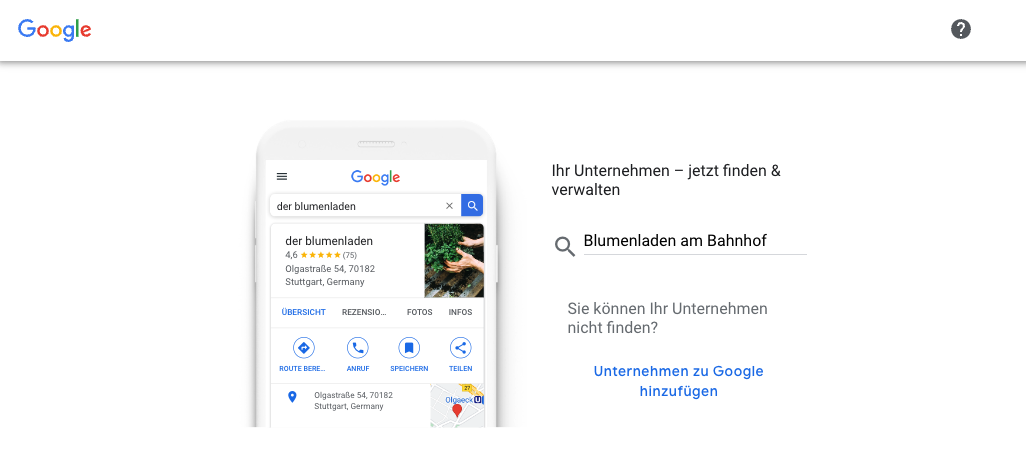
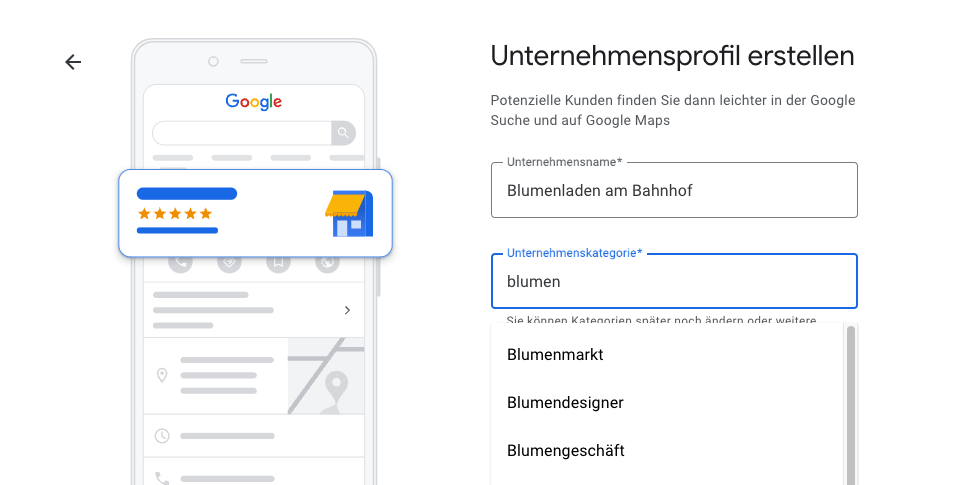
Select category 2
Choose the category as accurately as possible. Google will only display your business for searches in this category. 🏷️
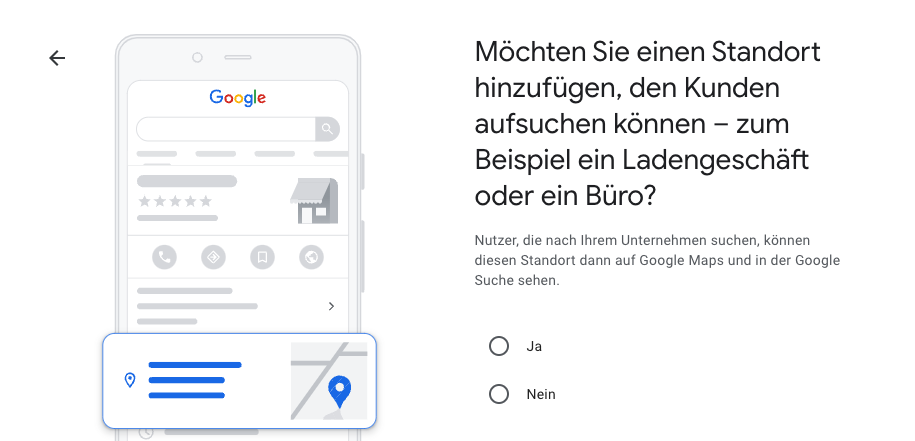
3. Trick question
Hier müssen Sie immer "Yes "Click here. Otherwise, your company will not be displayed as a Google Business entry. ❗
Enter company address
Enter an address. Attention: This address will be displayed publicly! 📍
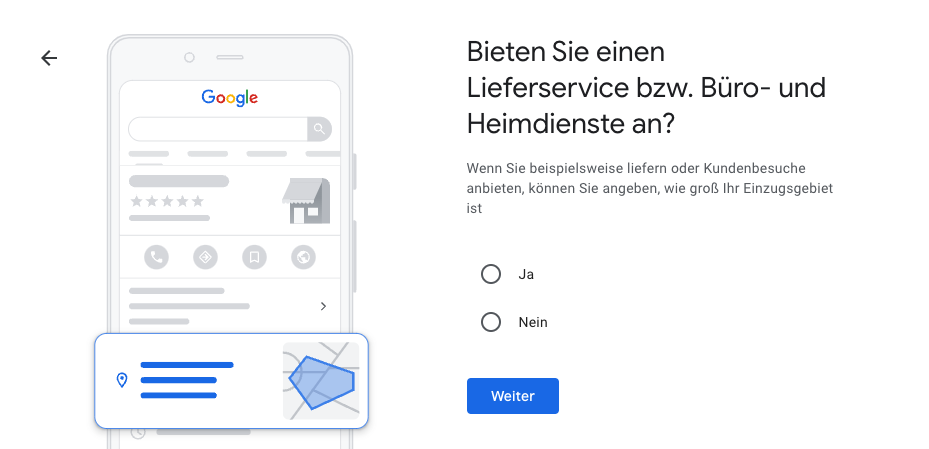
Do you offer a delivery service or office and home services?
Check here as well Yes as the size of the restriction area affects discoverability. For German companies, we recommend selecting the federal state. 🚚
6. Enter your contact information
These are also required for confirmation. 📞
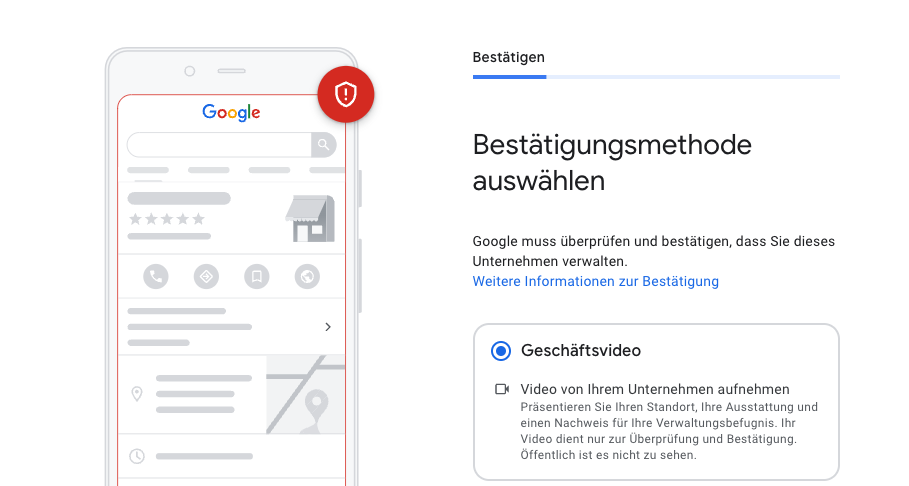
7. Confirmation
The confirmation varies depending on the type of business. Please follow Google's instructions. Since May 2023, Google has been very strict with confirmation. So it may happen that you can only confirm the entry through a video of your business. 🎥
8. Done 🥳
Once the confirmation is completed, your company should be found through Google search. Now we can start with the optimization.
Have experts optimize your Google entry
We are SEO experts and know many tricks to get the most out of your Google Business listing. We optimize your ad and guarantee you a top ranking for all relevant search terms. For more information, visit desent.io/leistungen/konzeption .If you need assistance, we are happy to help. Simply add us:
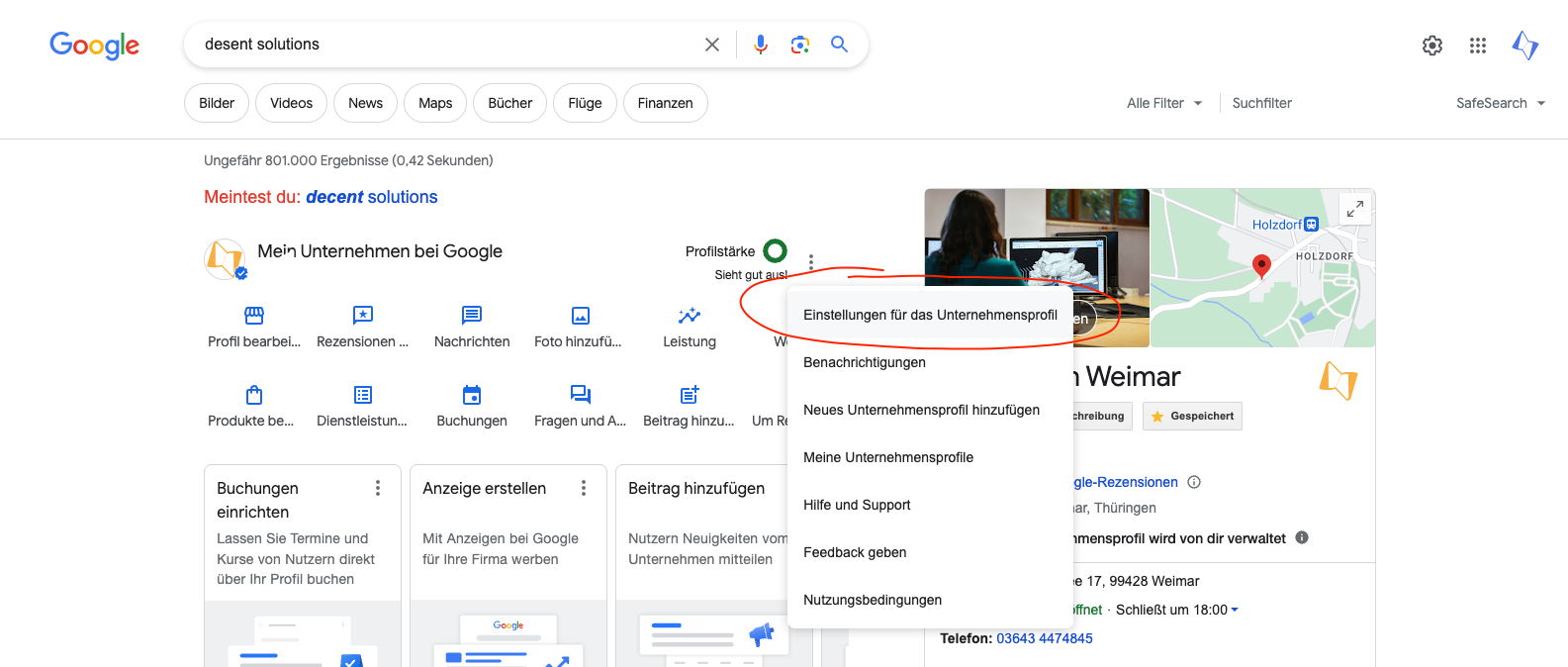
1. Open the settings
Search for your Google Business listing and click on "Settings for the company profile".
2. Persons and access rights
Click on "People and access rights "and enter the email address" info@desent.io "Add as administrator.
3. Done! 🚀
Let us know and we will start the optimization.
Optimize Google Business entry
If you want to optimize your entry yourself, we have compiled the most important points for you here.
1. Add subcategories Using the right subcategories is essential to be found in Google search results. Define clear and relevant subcategories that accurately describe your business area to show users what you offer.
Add 2 pictures Images give your business a boost in search results and make it stand out. Carefully choose an appealing logo and cover photo that meet Google's requirements. High-quality, professional images can provide users with a real impression of your business.
Add products and services Integrate your products and services into your listing to make your business easier to find. This way, users can immediately recognize your offerings and decide more quickly if they meet their needs.
4. Regular updates Regular update posts keep your customers informed about current offers, events, or changes. They also contribute to better visibility of your business and promote interaction with users.
5. Ratings and Reviews Encourage satisfied customers to leave ratings and reviews. Positive feedback increases your company's credibility and can persuade potential customers.
6. Opening hours and contact information Ensure that your opening hours and contact information are always up-to-date and accurate. This builds trust and allows customers to reach you easily.
7. Use Google Analytics Track the performance of your listing with Google Analytics. This way, you can understand how users interact with your listing and make adjustments if necessary to increase efficiency.
8. Offers and promotions Highlight special offers and promotions to attract potential customers. Such offers can be time-limited and provide an additional incentive to choose your company.
These tips will help you not only optimize your Google Business listing, but also effectively present your company. With a strategic and thoughtful approach, you can increase your visibility and attract more customers.
Citra R.
Marketing · 05. Februar 2021
Ready for your
next web project
with Desent?
Tell us about your project — we will get back to you within 24 hours with an initial assessment and the next steps.